


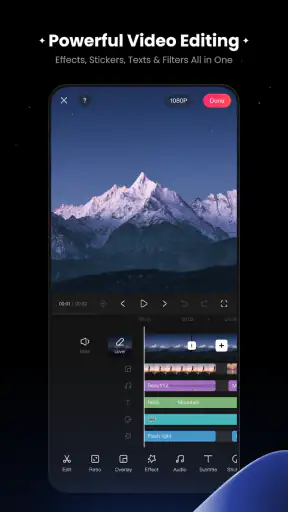
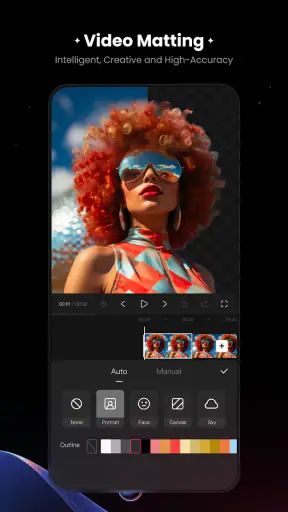
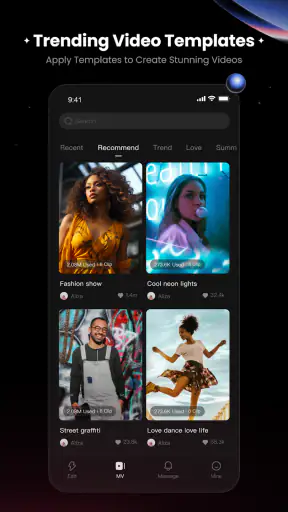
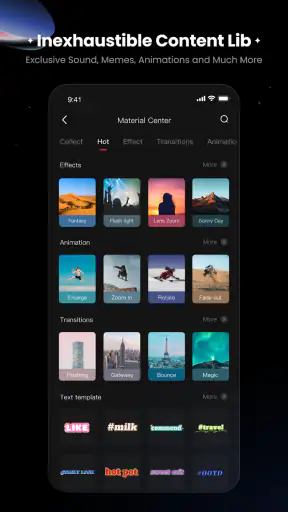
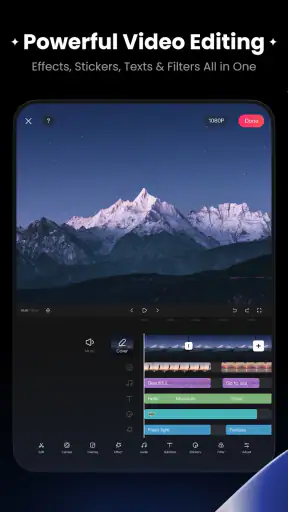
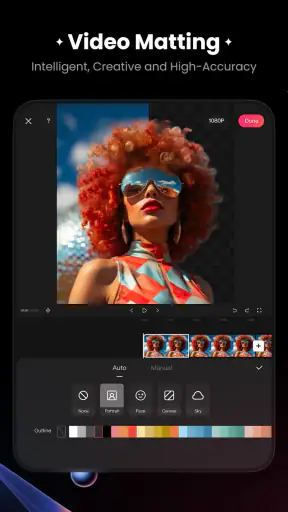
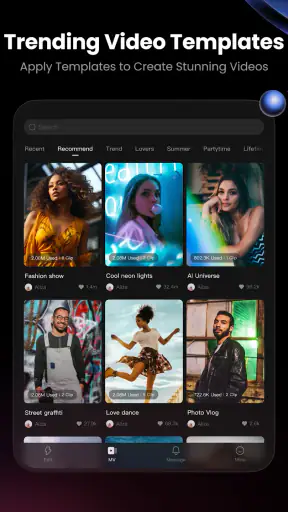
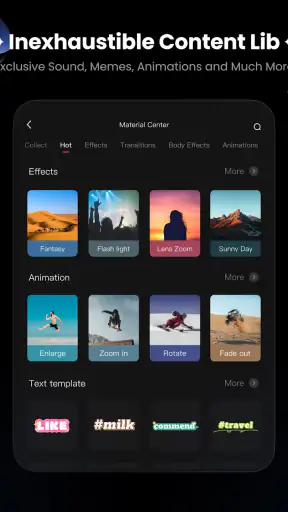
I approached KwaiCut as a practical mobile editor rather than as another social video app. Its role is straightforward: help you turn clips into shareable videos on a phone, without requiring the workflow of a desktop editing suite. That makes it interesting for quick personal projects, short-form posts, school assignments, travel recaps, and everyday moments that need a little trimming before they are ready to send.
The app is developed by Kwai Technology Limited and sits in the Video Players & Editors category. It is free to download, which is the clearest part of its value proposition: you can try the editing experience without paying an entry fee. It is also rated for Everyone, so its intended audience is broad. My overall impression is that it makes the most sense for people who want a focused mobile editing tool and do not want to learn a complicated timeline immediately.
What the app feels like in everyday use
The first thing I noticed is that KwaiCut is easier to approach when I have a specific video in mind. Instead of opening it with the vague idea of “making something creative,” I get better results when I already know the job: shorten a long clip, arrange several moments, add a readable title, or prepare a vertical video for sharing. That focused approach keeps the app from feeling overwhelming.
A realistic example is a family day out. I might have several short recordings, a few clips with unnecessary pauses, and one moment where the phone was held sideways. A mobile editor is useful here because I can select the worthwhile sections, put them in a sensible order, and make the result short enough for someone else to watch without losing interest. KwaiCut fits that situation better than opening a full desktop editor for a simple personal video.
I also see a good use case for small businesses and independent creators who need to prepare frequent visual updates from a phone. The important distinction is that this is a convenience tool, not automatically a complete production system. If the goal is a quick, presentable result, the lighter workflow is an advantage. If the goal is detailed control over every frame, audio layer, color adjustment, and export decision, a more advanced editor may still be the better choice.
The store summary presents it as the official video editing tool for Kwai, while the short description identifies it simply as KwaiCut. That positioning matters because it suggests a close relationship with the wider Kwai experience, but I would not treat it as a replacement for every other editing application. Its strongest appeal is the direct, phone-first path from recorded footage to a finished social video.
Cost is simple, but value depends on your workflow
There is no purchase price to weigh before trying the app: KwaiCut is free. That makes experimentation easy, especially for someone who only edits occasionally or is comparing several mobile editors. I can install it for a particular project rather than committing money before knowing whether its controls suit me.
Free access does not automatically mean unlimited value, though. The real question is how much time the app saves and whether its editing approach matches the type of videos I make. Someone who produces occasional clips can get meaningful value from a tool that removes unnecessary steps. Someone who edits professionally may judge value by precision, consistency, and control instead of the initial cost.
I would also separate “free to use” from “free of every possible limitation.” The confirmed price makes the starting point clear, but it does not give me a reason to assume that every advanced option, export behavior, or future capability will always be identical. My practical advice is to test the complete workflow with a short, nonessential project first. That means importing footage, editing it, checking the result, and making sure the final video works for the place where I intend to share it.
This trial-first approach is especially sensible when a project matters. A casual clip can tolerate a little experimentation; a graduation video, client draft, or carefully planned travel montage deserves a test export before I spend time polishing it. The absence of an upfront price lowers the risk of trying the app, but it does not remove the need to check whether it fits a particular job.
The editing strengths I would use most
The most useful strength of a mobile editor like this is speed between steps. When I am working on a phone, I do not want to move footage through several unrelated apps just to create a short sequence. A focused editor can keep selection, arrangement, and finishing in one place. That is valuable when the source material was recorded on the same phone and the finished video is also meant to be shared from it.
For a beginner, I would start with a deliberately small project. Choose a few clips, remove the dead space, arrange the strongest opening moment first, and watch the whole result before adding decoration. This is a better learning method than immediately filling a video with effects. It also reveals whether the app’s basic handling feels comfortable before I spend time exploring more creative controls.
One non-obvious improvement is to edit for the viewer’s attention rather than for the order in which I recorded things. A day may have happened chronologically, but the best video often begins with the most expressive or visually clear moment. I would use KwaiCut to build a short visual argument: show what matters first, provide just enough context, and finish before the idea becomes repetitive.
Another useful workflow is creating a “clean” version before making a social version. I would first arrange the footage and remove mistakes without adding text or visual styling. Then I would duplicate or rebuild that structure for the intended platform. This keeps the basic story easier to revise and prevents captions or decorative choices from hiding a weak sequence.
Text deserves particular care on a phone screen. I would keep captions brief, place them where they do not cover the subject, and watch the video once without touching the timeline. That final viewing often exposes problems that are easy to miss while editing, such as a title appearing too late or disappearing before the viewer can read it. The tip is simple, but it separates a usable short video from one that feels hurried.
Where the trade-offs become noticeable
The convenience of mobile editing is also its main limitation. A phone screen gives me less room to inspect several parts of a project at once. As a sequence grows, it becomes harder to remember why each clip is present and easier to make small timing mistakes. KwaiCut is therefore more appealing for compact edits than for projects with many layers and frequent revisions.
I would not choose it first for a long documentary, a complex interview, or a project that depends on precise audio mixing. Those jobs benefit from a larger display and a deeper timeline. A desktop editor can make it easier to compare tracks, organize source files, and return to an earlier section without losing the overall structure. The free starting price of KwaiCut does not change that practical difference.
There is also a creative trade-off between speed and individuality. A streamlined editor can help me finish a video quickly, but a fast workflow may encourage familiar-looking results if I rely too heavily on ready-made styling. My solution would be to treat templates, effects, or automatic-looking choices as starting points rather than as the finished identity of the video. The footage and the order of the story should remain more important than decoration.
Storage and attention are other everyday concerns. Video files can be large, and editing several clips on a phone can become inconvenient if I keep every failed draft. I would remove duplicate source files only after checking the finished result, and I would keep a clearly named final copy rather than trusting myself to remember which version is current. This is not glamorous advice, but it prevents the common mistake of sending an unfinished cut.
Performance expectations should also be realistic. The app requires Android 6.0 or newer, which gives it a broad compatibility range, but compatibility is not the same as an identical experience on every device. Newer phones generally offer a more comfortable environment for demanding video work than older hardware. If editing feels slow, I would begin with shorter projects and fewer simultaneous elements before deciding that the app itself is unsuitable.
Who is likely to get the most value?
I think KwaiCut is best for a beginner who wants to make short videos without first studying professional editing terminology. It also suits a regular social-media poster who values a quick path from camera roll to finished clip. Students preparing a presentation supplement, parents making a family montage, and travelers assembling a daily recap can all benefit from a tool that keeps the process on the phone.
It is also a sensible option for someone who is curious about editing but does not yet know how often they will use it. Because it is free, the decision can be based on comfort rather than fear of wasting money. I would install it, complete a small project, and judge three things: whether I can find the controls without constant searching, whether the editing process feels predictable, and whether the finished result meets my sharing needs.
The app has a visible audience already, with more than five million installs and an average rating of 4.4 from about nineteen thousand ratings. Those figures suggest that it has attracted substantial interest, but they should be treated as context rather than proof that it will suit every editor. My own decision would still depend on the kind of footage I create and how much control I expect.
The current version is 7.47.0.747156, and the app was released on February 19, 2025. Those details are useful when checking whether a tutorial, interface description, or personal experience matches the version on my phone. Mobile apps can change their layout over time, so I would pay attention to what is actually visible in the installed version rather than assuming an older guide describes every control accurately.
When I would choose another editor
I would look elsewhere if my priority were advanced, repeatable production. For a client workflow, I might need a carefully organized project structure, dependable revision handling, and detailed control over sound and image. A fuller editor may take longer to learn, but that extra complexity can be worthwhile when the video must be adjusted repeatedly or delivered in a very specific form.
I would also consider another option if I needed to work mainly on a tablet or computer. KwaiCut’s attraction is strongest when the phone is the center of the process. Moving between devices, managing a large media library, or reviewing a dense edit is usually more comfortable in software designed around a larger workspace. In that situation, the free price is not enough by itself to make the smaller workflow preferable.
On the other hand, choosing a more powerful editor for every tiny task can create its own friction. If I only need to cut a few seconds, arrange a handful of clips, and add a modest finishing touch, a professional timeline may slow me down. This is where KwaiCut has a clear practical advantage: it encourages me to finish the small job instead of turning it into an unnecessarily elaborate project.
My verdict after weighing the free access
I would recommend KwaiCut to a friend who wants a straightforward mobile video editor and is comfortable learning through a small project. Its free access makes the trial decision easy, its audience rating is encouraging, and its connection to Kwai gives it a natural place in a short-form video workflow. I especially like the idea of using it for quick recaps, personal updates, and social clips where speed matters more than deep technical control.
My recommendation comes with a clear boundary: I would not present it as a full substitute for a desktop production environment. The phone-first format is convenient, but it can become restrictive as a timeline grows or a project needs precise, repeated adjustments. I would also test an important video from start to finish before relying on it for a deadline, even though there is no purchase cost to recover.
In short, the value here is practical rather than extravagant. KwaiCut is worth trying when your main goal is to finish short videos quickly on Android, especially if you are new to editing or do not want to pay before discovering whether a tool fits. It is less convincing for demanding productions where organization, fine control, and a large workspace matter more than convenience.
For my own use, I would keep it as a fast option for compact projects: trim first, build the story before decorating it, check captions on the actual phone screen, and review the final version before sharing. That workflow plays to the app’s strengths while avoiding the expectations that could make a lightweight mobile editor frustrating. The result is a free tool with a sensible place in the category, provided I choose it for the jobs it is actually designed to make easier.


